Marvin Pro Product Overview
Product Positioning
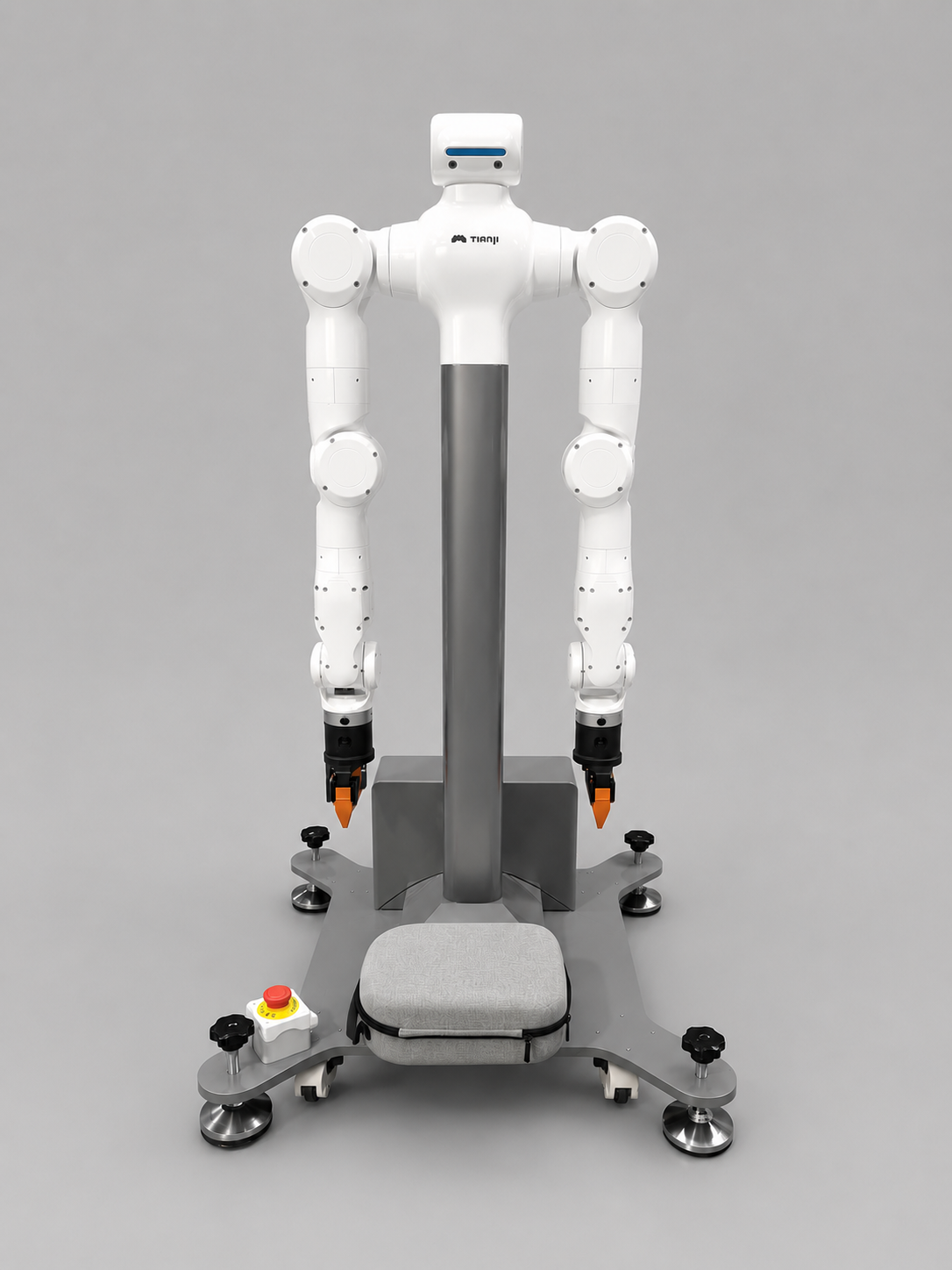
Marvin Pro is a dual-arm robot product for teleoperation scenarios and is supplied with the Gento Teleoperation Apex system. The system provides an immersive first-person view through a VR headset and maps the operator's motion to the robot in real time.
Marvin Pro supports dual-arm robot teleoperation with either a Pico or Meta Quest VR headset. The current version uses a Tianzhun controller as the core control unit. The deserializer board is integrated inside the robot, and the Senyun camera is a standard component connected through internal arm wiring.
Optional accessories: Manus data gloves + Wuji Hand, used for finger motion capture and fine manipulation.
System Components
The Marvin Pro teleoperation system mainly consists of the robot body, robot controller, Tianzhun electric cabinet, Senyun camera, VR headset, host PC, and data recording media.
| Category | Device | Description |
|---|---|---|
| Robot side | Dual-arm robot body | Executes teleoperation commands |
| Robot side | Robot controller | Receives commands from the Tianzhun controller and control system |
| Power and safety | 48 V main power supply | 220 V to 48 V switching power supply |
| Power and safety | 12 V controller power supply | Powers the controller and related peripherals |
| Power and safety | Emergency stop box | Provides on-site safety protection and emergency stop |
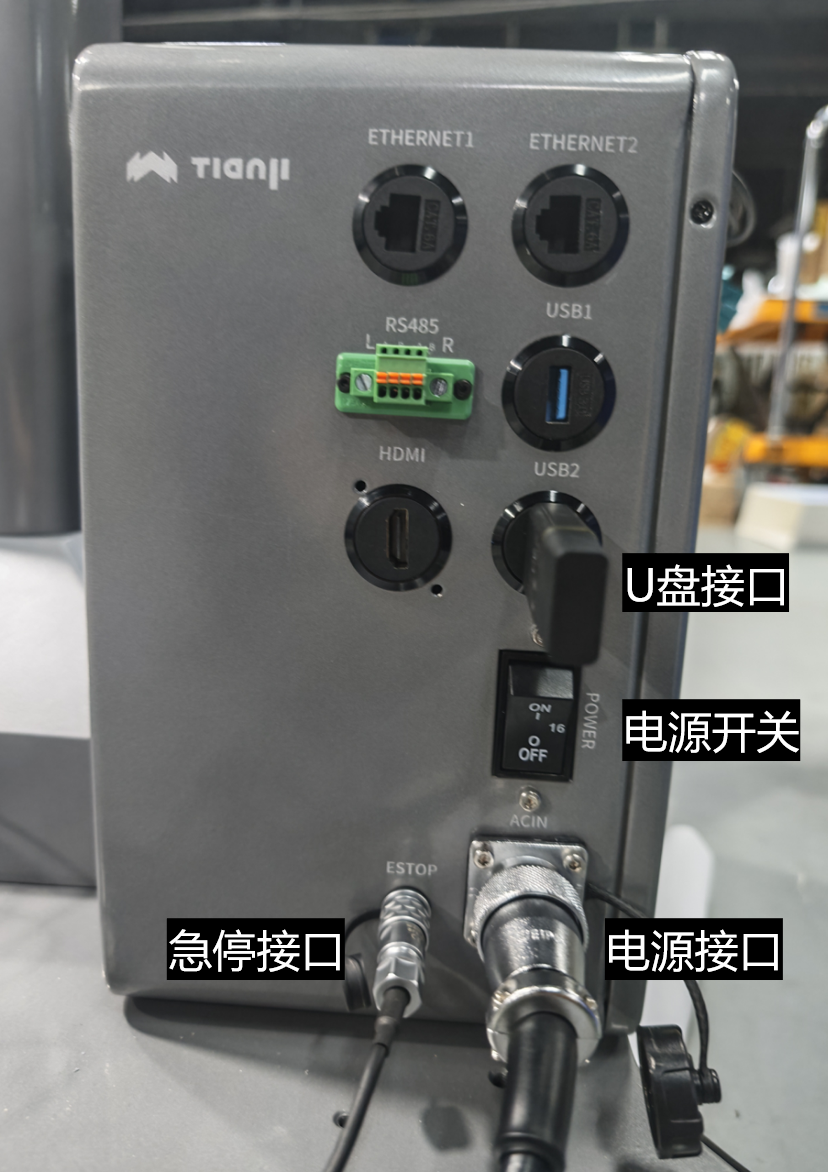
| Main control | Tianzhun electric cabinet / core controller | Runs Apex and ROS 2 nodes |
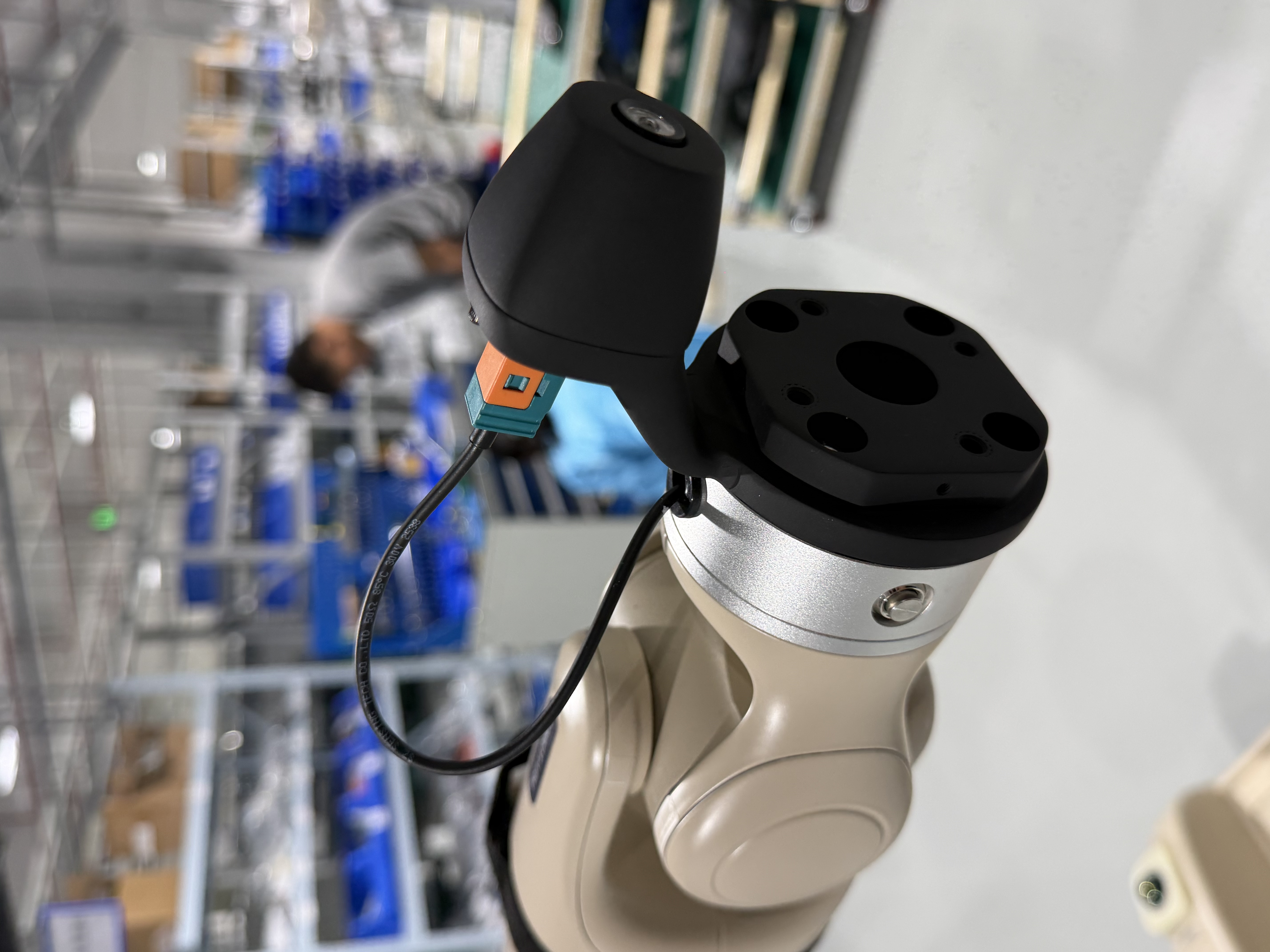
| Perception | Senyun camera | Standard camera mounted at the robot arm end; wiring is routed internally through the arm |
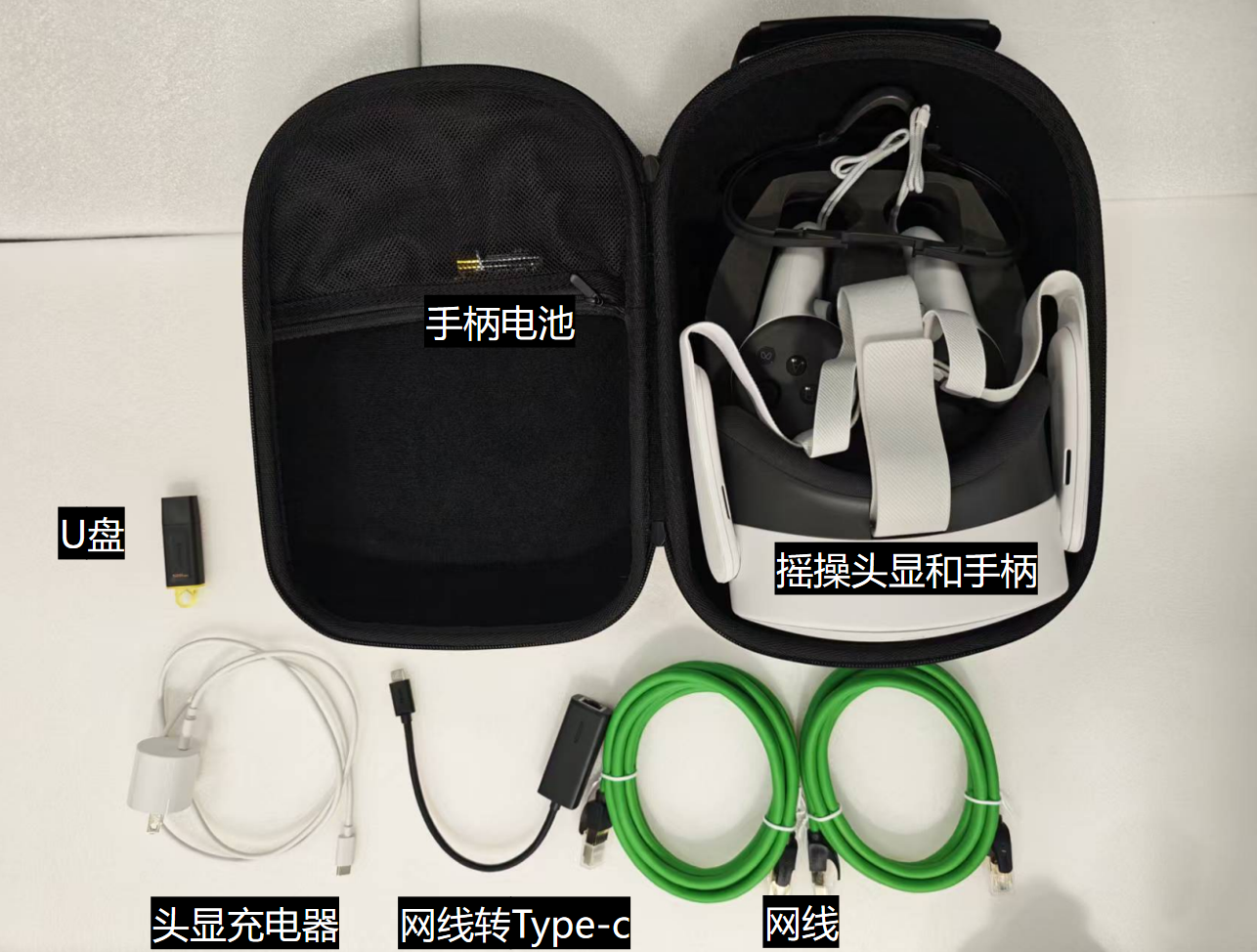
| Operator side | VR headset (Pico or Meta Quest) and controllers | Provides first-person view and operator input; model depends on the delivered configuration |
| Network and data | Ethernet cables and Type-C Ethernet adapter | Connects the electric cabinet, host PC, and VR headset |
| Network and data | USB drive | Used for data recording; volume label must be BAG_STORAGE |
Standard Accessories
| Accessory | Qty | Description |
|---|---|---|
| VR headset (Pico or Meta Quest) | 1 | Provides immersive first-person operation view; model depends on the delivered configuration |
| Controllers (left/right) | 1 each | Control arm motion and gripper opening/closing |
| Tianzhun electric cabinet / core controller | 1 | Runs Apex and ROS 2 nodes |
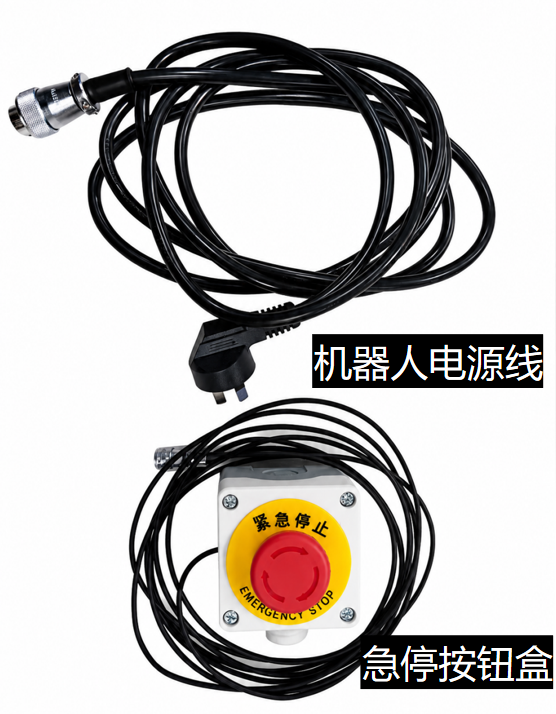
| Robot power cable | 1 | Connects to the electric cabinet power interface |
| Emergency stop box | 1 | Connects to the electric cabinet emergency stop interface |
| Senyun camera | Standard | Mounted at the robot arm end; wiring is completed before delivery |
| Ethernet cables | Several | Wired connection for stable low-latency transmission |
USB drive (label BAG_STORAGE) | 1 | Stores ROS bag and MP4 recording data under recorded_bags by default |
| Type-C data cable | 1 | Used for ADB debugging or headset APK installation |
| Type-C Ethernet adapter | 1 | Connects the VR headset to the wired LAN |
Optional Accessories
| Accessory | Description |
|---|---|
| Manus data gloves | Capture fine finger motion; used with Wuji Hand |
| Wuji Hand | Dexterous hand end effector that receives glove motion commands |
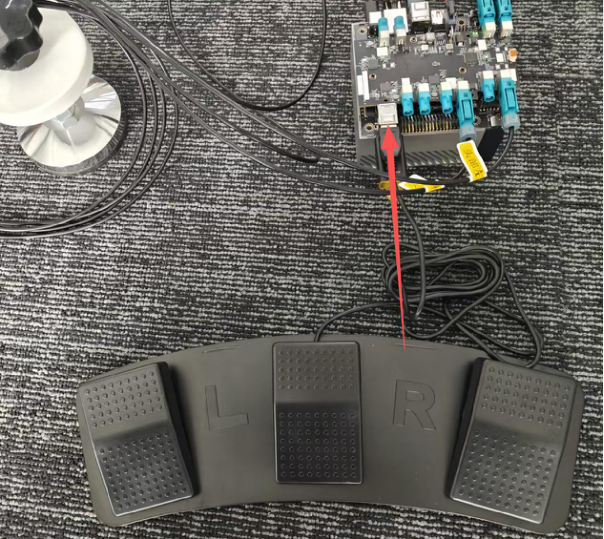
| Foot pedal (three-key, non-standard) | Maps controller enable actions to foot input; used for motion-capture glove / dexterous hand teleoperation scenarios |
Foot pedal key functions:
| Key | Function |
|---|---|
| Key 1 (left key) | Enables both left and right controllers together |
| Key 3 (right key) | Moves both arms back to the Home position; prohibited in the factory packing pose |
From the packing pose, first follow Startup and Debugging to enable drag mode, manually move both arms to the standard zero pose, and disable drag mode before using any Home function.
Software Components
| Software module | Installation location | Description |
|---|---|---|
| Apex controller software | Tianzhun electric cabinet / core controller | Matching controller package with ROS 2, motion control, camera, and recording services |
| Apex headset client | Pico or Meta Quest | Headset application matched to the controller release |
| Apex Teleop | PC | Connects to the controller, starts the robot, switches modes, records data, and replays data |
Default Network and Runtime Environment
| Item | Default / Description |
|---|---|
| Tianzhun electric cabinet / core controller IP | 6.6.7.100 |
| Dual-arm controller IP | 6.6.7.190 |
| Host PC network adapter IP | 6.6.7.xxx, for example 6.6.7.165 |
| Headset Apex app connection IP | 6.6.7.100; must match the Tianzhun controller IP |
| SSH login to Tianzhun controller | ssh nvidia@6.6.7.100 |
| Item | Specification |
|---|---|
| Operating system (Tianzhun controller) | Ubuntu 22.04 |
| Operating system (host development PC) | Ubuntu 22.04 AMD64 |
| Robot framework | ROS 2 Humble |
| Main control hardware | Tianzhun core controller |
| Headset | Pico or Meta Quest |
| Installation packages | Use matching controller, host, and headset packages from the delivered release |
Core Capabilities
- Low-latency VR video streaming, supporting the Senyun camera and GMSL multi-channel video link
- Millimeter-level spatial tracking with real-time motion mapping to the robot arms
- Multiple control modes, including impedance mode, position mode, and standby mode
- Built-in ROS bag recording and real-machine playback
- Incremental teleoperation mode support; the foot pedal is a non-standard extension
Typical Application Scenarios
- Remote teleoperation of dual-arm robots
- Robot-assisted operation in hazardous environments
- Robot demonstration data collection
- Factory intelligent production assistance